DOWNLOAD 2D/3D CAD DRAWINGS
THE INNOVATIVE PROJECT BY MOTOVARIO
News
Sharing is caring
Get inside the Motovario world. Discover the latest institutional and product news. This is the place where we share synergies, experiences and goals. Welcome to the heart of the movement.
Get inside











MID HEAVY DUTY GEARBOXES
Continuous duty with reduced maintenance costs.
The Motovario PBZ series consists of parallel helical and bevel-helical gear reducers up to 4 reduction stages, characterised by high power density, compact size, modularity, reliability and a favourable performance/sturdiness ratio.
Discover more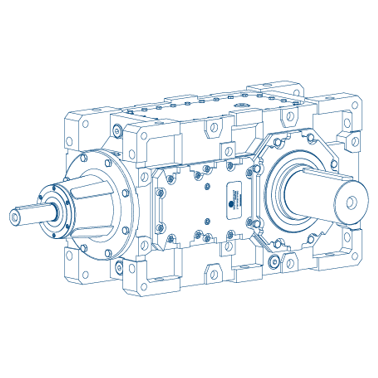


Want to join us?
See what positions are available and contribute to Motovario's development throughout the world! Experience, commitment, cooperation and insight give each person a critical role in our success. You could be the next addition to our team!
Discover MoreCompany profile
Founded in 1965, we are an Italian company noted for excellence in transmission components.
Discover MoreBecome a MAC
MAC is a network whose goal is to support customers on product availability and improve services and flexibility.
Discover MoreSales network
Our sales network guarantees a qualified and efficient support on a global scale. Our wide network of distributors ensures a rapid response. In the pursuit of our goal to offer the market effective solutions we are constantly striving to improve operating efficiency and productivity in all our plants and qualified MAC, Motovario assembly centres.
48